




















Blog
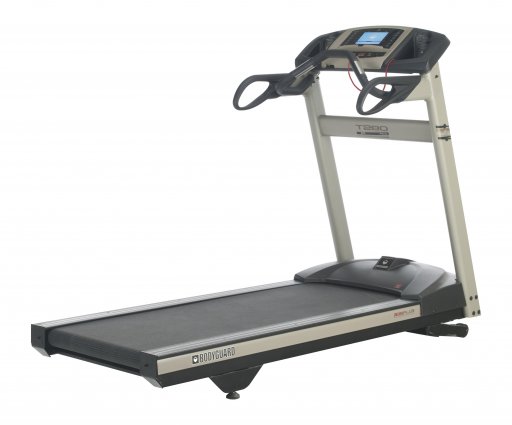
Features
Display info
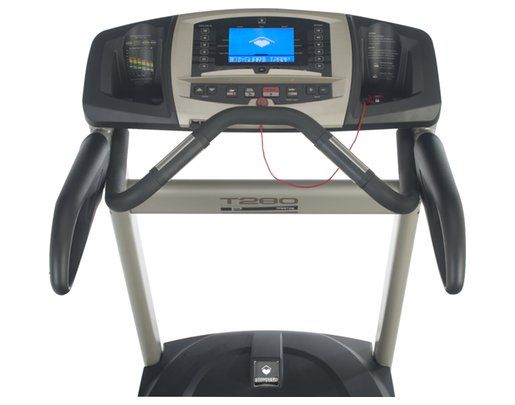
The 6.6” Blue LCD screen gives you feedback on speed, distance, calories, calories/h, elapsed time, pace and elevation. You should use the numeric keypad to enter time, speed, weight, distance and target heart rate.
The readouts summary includes total exercise time, total distance, calories burned and average speed.
The computer of this treadmill allows you to select and modify a series of settings by accessing the Settings menu:
language, weight unit, user ID, distance unit, time, distance or calories, warm up, cool down, heart rate control options, heart rate access options, beeper, speed limits, big number option, learn program, heart rate recovery, pause time, max duration.
Heart rate info
Either use the digital contact heart rate sensors or the wireless chest strap that is compatible and must be purchased separately.
Programs
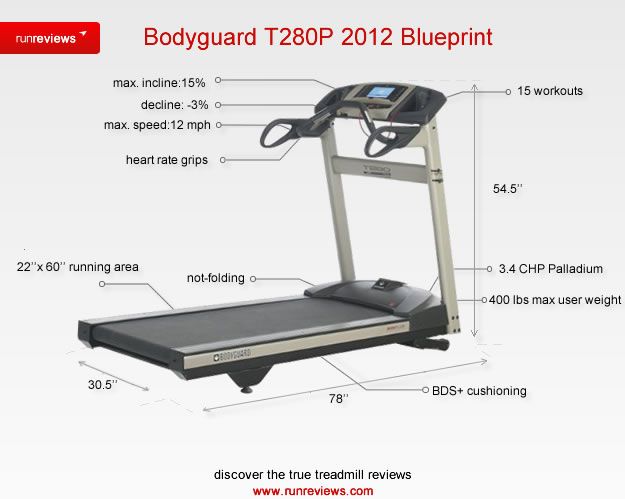
There are 15 preset programs on the T280P unit: JustGo, Walk, Distance, Speed, Calorie goal, Interval, Random, 3 Heart Rate exercises, 8 advanced running workouts. Plus, 8 Custom Programs and 8 Memory Programs are available.
To choose a workout, press Increase/ Decrease repeatedly until you reach the desired program. Press JustGo/ Enter to confirm.
Up to 8 users can use the treadmill and save data individually, as there are 8 built-in user ID options. The user ID offers access to several options:
activate user ID, create user ID, view statistics, edit user ID, reset statistics and delete user ID. To view user statistics, select View Statistics and press JustGo. Select the ID and you’ll receive total distance, total no of calories expended and total time.
Heart Rate Access
During a program, press JustGo and “Heart Rate Control Activated” will be displayed. Your target heart rate will be displayed.
Confirm and the remainder of the selected workout time will be in the form of a normal Heart Rate Control.
iTek Diagnostics menu
Hold down Increase and Decrease simultaneously and turn power On. Release the keys and press JustGo to access Diagnostics items.
This menu allows you to perform a series of tests that will allow you to be aware of any issue that may occur.
Maintenance information
When you’re done working out, wipe down the treadmill with a non-abrasive liquid cleanser and a soft cotton cloth.
Rollers
included
Bottle holders
included
Transport wheels
included