


















Blog
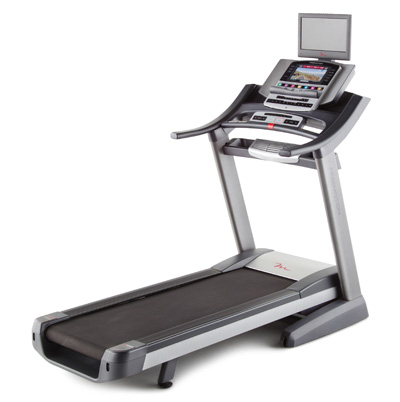
Features
Display info
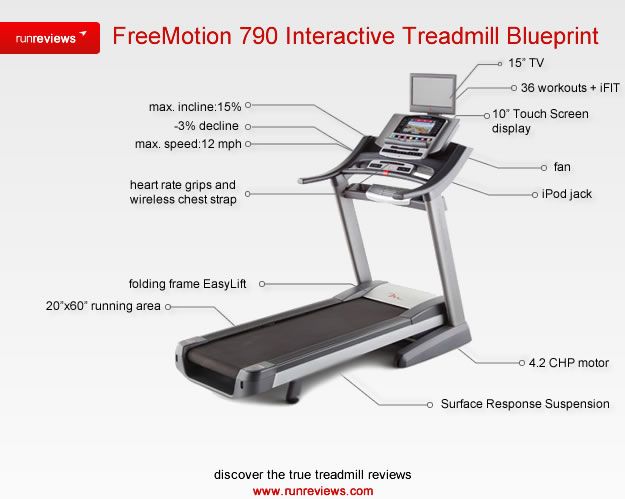
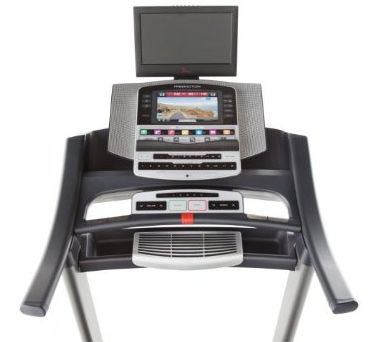
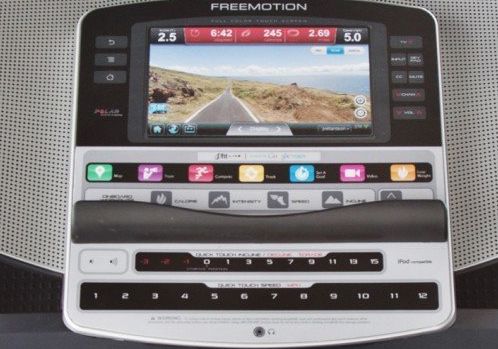
The 10″ full-color touch screen with Browser powered by Android shows info on incline, time elapsed, time left, approx no of burned calories, approx no of calories you’re burning/ h, distance, no of vertical feet, speed, a ¼ mile track, your pace in min/ mile, current lap number, heart rate. Does it work properly? See in conclusions.
Heart rate info
Either use the included wireless chest strap or the two hand grip heart rate sensors built into the handlebars. The wireless works the best though.
Programs
There are 36 workouts for you to choose from. Preset workouts include 8 calorie workouts, 8 intensity workouts, 8 speed, 8 incline and 6 iFit Live demo workouts.
To use a preset workout, press Calorie, Intensity, Speed or Incline buttons or touch the runner icon on the screen to select the Workouts menu. Select your workout and you’ll be shown name, duration and distance, plus the approx no of calories you’re about to burn. Touch Start Workout button and begin walking.
This treadmill is iFit compatible and you can log in into your account from the treadmill’s console. Once you’re logged in, select the workout from your iFIT account and schedule it for download. There are several other features you can enjoy with this interactive option. Read more about it here.
2 HD Workout videos, accompanied by a personal trainer are included in the workouts available.
Settings menu
This menu allows you to select a certain language and unit of measurement, to turn on and off the display demo mode and to enable or disable the key. To use it, start the treadmill, insert key, select the main menu and touch the gears button near the lower right corner on the screen.
Maintenance menu
This menu allows you to update console firmware, calibrate incline and the screen, view technical info and view a button’s keycode. The menu is available in the settings menu.
Wireless network mode
In the settings menu, touch the Wireless network button to enter the wireless network mode. From here you connect to your wireless network (mandatory if you want to use the iFIT module).
Internet browser
You need a wireless network active in order to use the browser. To open the browser, touch the globe button near the lower left corner of the screen. From here, the world is your oyster. Read the news, watch videos, follow your friends activity on Facebook or share your status updates.
Stereo sound system with iPod compatibility
included
15 Digital TV
This treadmill is uniquely designed to get you in front a TV while you workout, even if your treadmill is placed in the basement.
You have control buttons on the console or you can use the remote control.
If you don’t have a cable or an Antenna available to connect the TV, choose as source a DVD or Blu-ray player, or even a VCR.
CoolAire workout fan
included