




Blog
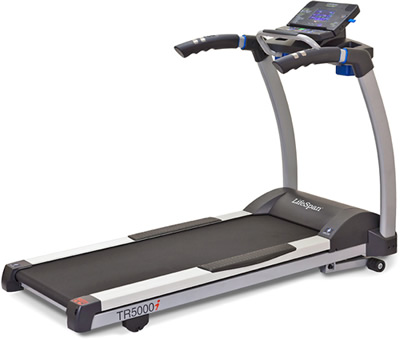
Features
Display Info
The multi-color LCD offers feedback on time, calories, distance, steps, heart rate, speed, incline. Also, the display shows name, sex, height, weight and age that are used as part of the USB feature to save workout information and to calculate calorie loss more precisely.
Heart Rate Readings
You can use the hand grips or the chest strap.
Workouts:
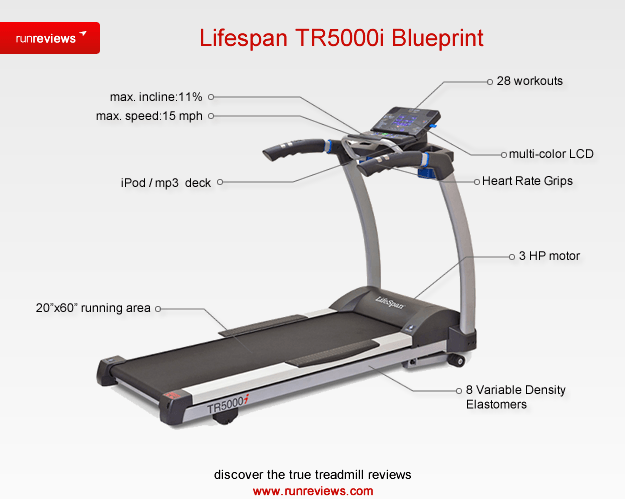
This unit comes with a package of workouts from 5 areas: 7 Sports Training, 5 Healthy Living, 5 Weight Management, 2 Heart Rate Control and 2 User defined programs.
Sports Training includes Long Slow Distance of 40 minutes default and Short Interval of 20 minutes default. Healthy Living offers Uphill Climb, Pyramid Climb of 30 minutes default, Plateau Climb of 40 minutes default and Ladder of 30 minutes. Weight Management comes with Steady Pace of 20 minutes and Cardio Run of 20 minutes.
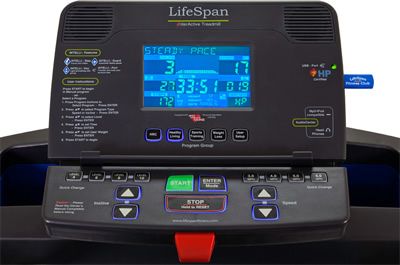
There are 2 Custom User programs. Heart Rate Control workouts include Constant and Interval programs. The first allows you to select a heart rate by adjusting speed or incline. Select the program and then select Speed or Incline mode.
Interval Heart Rate control helps you increase aerobic endurance and improve heart rate recovery.
To start a preset program, first select the desired workout and then the program mode, Speed or Incline. Set the intensity level out of 3 available. Set the time and insert your weight. Start the program. To start a User program, select User 1 or User 2, set the time and weight, and ultimately the intensity level. Press Start. For Heart Rate Control programs also set the target heart rate.
The Intelli-Guard feature is a safety measure. As soon as you stop walking, the treadmill stops. There is also an Intelli-Step feature is useful for those who want to maintain a step count, although the results depend on user’s profile.
USB option
connected to the LifeSpan Fitness Club
Workout information automatically saves to the USB, you upload it on Lifespan official website (the LifeSpan Fitness Club) and you get workout reports and customized workouts.
Sound System
included
